
Company calendar: own days off & company closures
Besides the public holidays every company has days of its own: Christmas Eve and New Year’s Eve, a local holiday, a bridge day, or two weeks of closure in summer. The company’s admins enter them under Admin → Company calendar — Klokk counts targets, vacation and the time account accordingly.
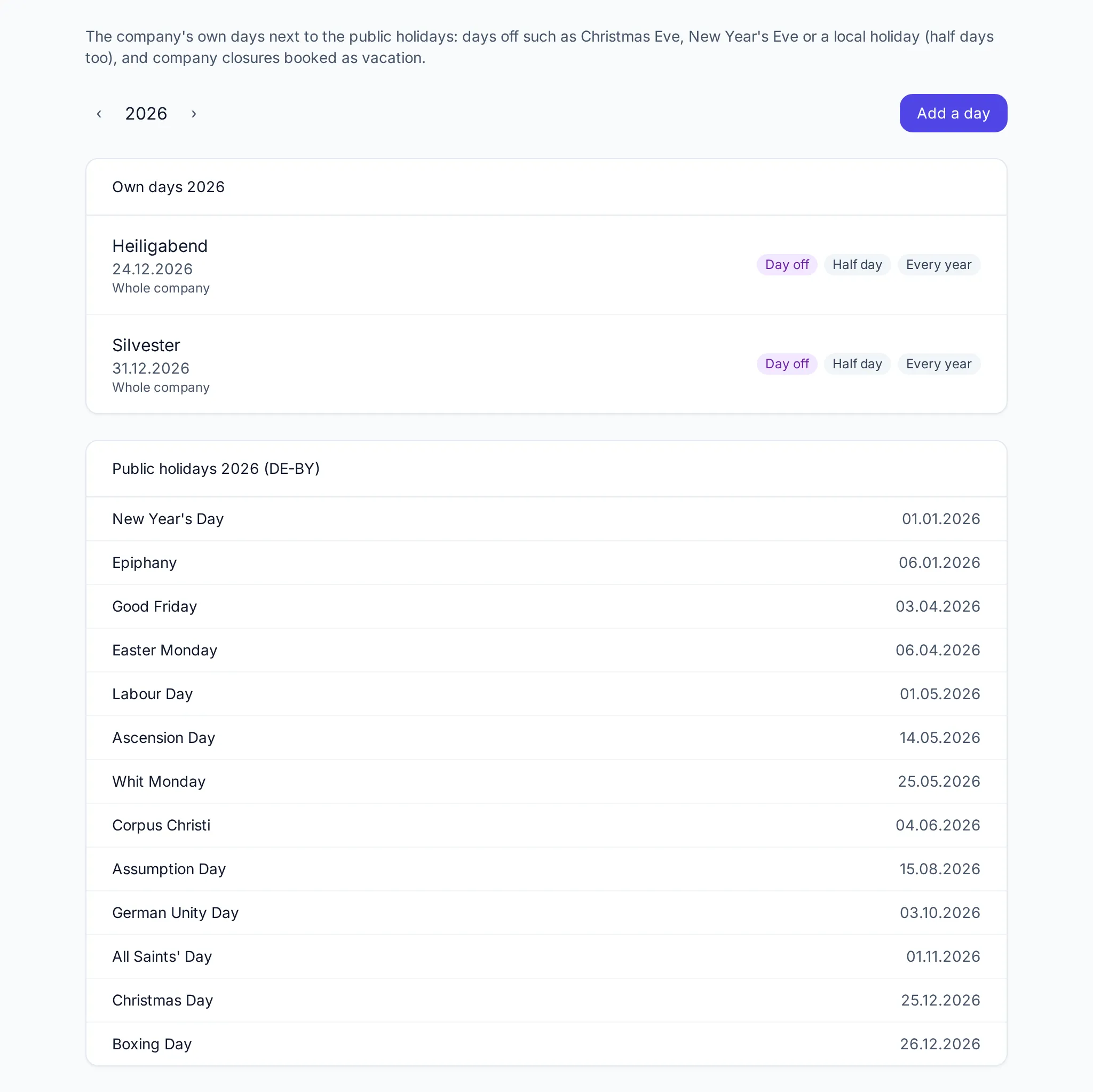
The page shows one year: the company’s own days at the top, below them the public holidays of its holiday region (from the company settings). The arrows switch the year; super admins first choose the company.
Two kinds of days
Section titled “Two kinds of days”| Day off | Company closure | |
|---|---|---|
| For | Christmas Eve, New Year’s Eve, local holiday, bridge day | Summer closure, the days between the years |
| Target time | none, as on a public holiday | stays — the day is vacation |
| Vacation days | not used | booked, and count against the entitlement |
| Half day | possible | – |
| Every year | possible | – |
Adding a day
Section titled “Adding a day”-
Click Add a day.
-
Give it a Name (for example “Christmas Eve”) — it shows in the calendars later.
-
Choose From and, optionally, To (empty: a single day; at most 62 days in a row).
-
Choose the Kind: Day off or Company closure.
- Half day: only half of the target time is dropped (single days only).
- Every year: the day recurs on the same date (days off only, not 29 February).
-
Pick Departments if needed — without a choice the day applies to the whole company.
Days off
Section titled “Days off”On a day off the target is dropped as on a public holiday. Whoever works anyway builds up plus hours. Absences across such a day use no vacation day for it.
A half day off halves the target. Whoever takes vacation on that day uses half a vacation day.
Company closures
Section titled “Company closures”On saving, Klokk books the closure for every person it concerns as approved vacation that counts against their entitlement. Left free are:
- days on which someone is already absent or has requested an absence,
- days outside the employment (before joining, after leaving).
People see the vacation like any other, but cannot cancel it themselves.
Taking people out and booking again
Section titled “Taking people out and booking again”The page of a closure lists under People everyone it applies to, with their booked vacation days.
- Take out removes a person’s booked vacation — for example for someone who holds the fort. Bring back in books it again.
- Book again adds the closure for people who joined since it was saved.
- When you change the period or the departments, Klokk books the closure anew for everyone; people taken out stay out.
Closed months
Section titled “Closed months”A day cannot be placed in a closed month, moved into one or deleted there. For a yearly series that has already begun, deleting means End the series: it ends after the last year begun; past years stay as they were.
Where the days show
Section titled “Where the days show”- in the people’s absence calendar and the team calendar, with their name,
- in the time overview and the monthly record (PDF),
- on the time account through the dropped target.
Surcharges and the public-holiday rules of the Working Time Act still apply to public holidays only — a company’s own day off is no public holiday in law.
Counting vacation days right
Section titled “Counting vacation days right”Absences count their days by the person’s work schedule: days without target hours, public holidays and the company’s days off are no vacation days. When the days off change, Klokk recounts the absences concerned — except in vacation years that are already closed.
This page describes a feature of Klokk 1.2.0. It appears here once that version is released.