
Month-end closing
Once a month has gone to payroll, its times must stay as they were paid. A closed month cannot be changed any more — not even by admins. If something does have to change, reopening it takes two people.
What a closed month locks
Section titled “What a closed month locks”For every day of a closed month Klokk refuses:
- time entries, clocking in and out, breaks and manual entries,
- time corrections and requests to delete an entry,
- absences and sick notes (new, changed or cancelled),
- time account bookings,
- bulk entries and undoing them.
Klokk names the closed month in its answer. The time tracking and the time analysis show a notice for the month, and the monthly record (PDF) notes that it is closed.
What still works: viewing and exporting everything, and declining or cancelling a request that is still pending — so nothing waits forever for a month nobody can change.
Closing a month
Section titled “Closing a month”-
Open Admin → Month-end closing. Super admins first choose the company — each company closes its own months.
-
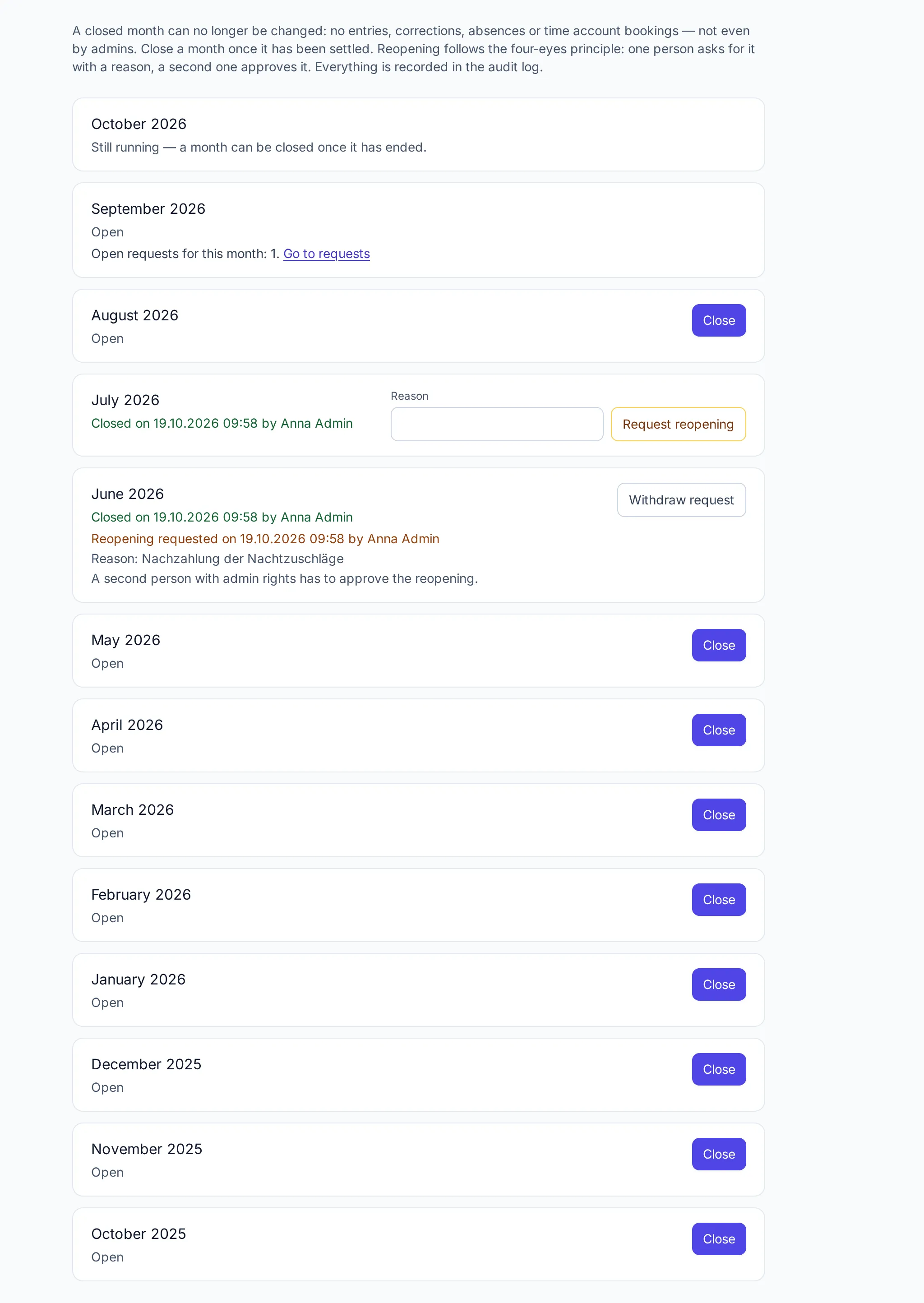
Every month shows its state: Still running, Open, Closed (when and by whom) or a pending reopening.
-
Click Close next to the month.
A month can be closed when:
| Condition | If not, the page shows |
|---|---|
| The month has ended | “Still running — a month can be closed once it has ended.” |
| No request for the month is waiting for a decision | the number of open requests and a link to them |
| Nobody is still clocked in since one of its days | the number of people still clocked in |
Closing automatically
Section titled “Closing automatically”Super admins can let Klokk close the months of a company by itself: under Admin → Companies → (company), Close months automatically on this day of the following month, a day from 1 to 28 (empty: only by hand).
- From that day on, Klokk closes the past month at night as soon as nothing waits in it. If a request is still open or someone is still clocked in, it tries again the next night.
- Until that day there is time for corrections. A good choice is a few days before payroll starts.
- A month that was reopened by hand is never closed automatically again — whoever reopened it closes it once the correction is done.
- Admins see the setting on the month-end closing page but cannot change it; the closing shows there and in the audit log as “automatically”.
Reopening a month
Section titled “Reopening a month”Reopening follows the four-eyes principle:
-
A person with admin rights clicks Request reopening next to the month and gives a reason (at least five characters).
-
The month stays locked. The request shows on the month-end closing page and under Admin → Requests; the other admins and the super admins are notified.
-
A second person with admin rights clicks Approve reopening — or Decline. Whoever requested it cannot approve it; they can Withdraw request.
-
Once approved, the month can be changed and closed again.
The page keeps who requested the reopening, when and why, and who approved it.
Audit log and privacy
Section titled “Audit log and privacy”Closing, the reopening request, its approval and declining are recorded in the audit log with the month. The reason stays with the month; with DATA_KEY on PostgreSQL it is stored encrypted like other free texts.
Frequently asked questions
Section titled “Frequently asked questions”An employee finds a mistake in a closed month. What now? An admin requests the reopening with the reason, a second person approves it, the entry is corrected, and the month is closed again. Everything is in the audit log.
Does closing change the time account? No. The balance stays as it is; closing only prevents changes to the month’s entries and bookings.
Can I close several months at once? Each month is closed on its own. With automatic closing Klokk does it every month.