
Audit log
The audit log records who did what and when in Klokk. It is the basis for tracing changes to working times — for audits, the works council and data protection.
What is recorded
Section titled “What is recorded”Every change that touches permissions, data or settings, for example:
- Sign-ins: signing in and out, failed sign-ins and two-factor codes, password changes,
- People: creating, changing, roles, permissions, deactivating, leaving,
- Times: manual entries, corrections, deletion requests, bulk entries, time account bookings,
- Absences and requests: request, approval, rejection, cancellation,
- Companies and settings: company data, month-end closing, travel time, company calendar, deletion periods,
- Shifts: planning, publishing, swapping,
- Extensions: keys, grants and everything an extension does through the REST API.
Where it helps, changes carry the old and new value (for example month_auto_close_day=0→5).
Reading the log
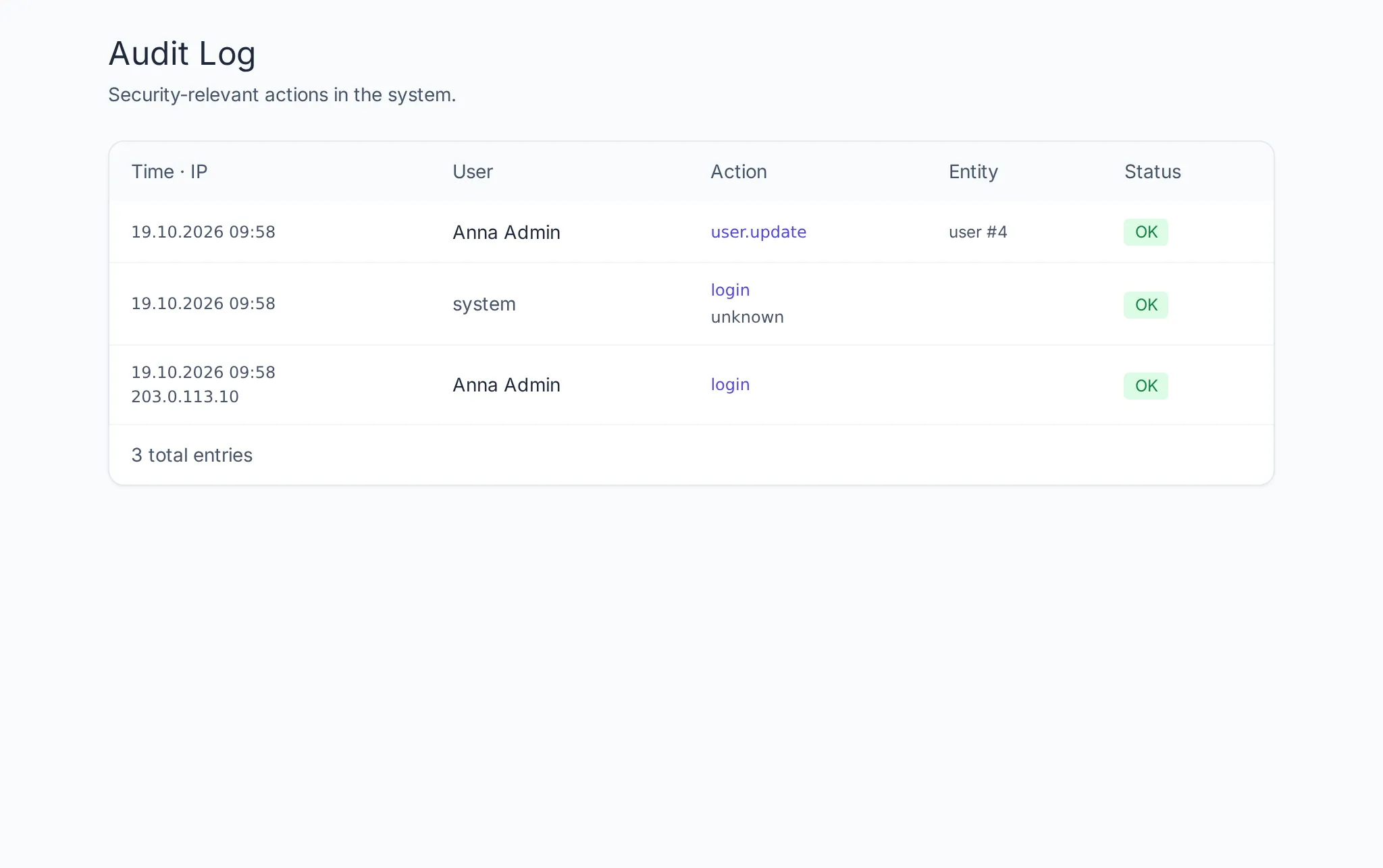
Section titled “Reading the log”Under Admin → Audit Log each entry shows:
| Column | Content |
|---|---|
| Time | when the action happened |
| User | who triggered it — “system” for Klokk itself (such as the nightly automatic month-end closing), “via …” for an extension |
| Action | what happened |
| Entity | on what (person, entry, company …) |
| IP | from which address |
| Status | OK or Failed (such as a refused sign-in) |
The newest entries are at the top; page through at the bottom.
Who sees it
Section titled “Who sees it”- Admins and auditors see the log of their company.
- Super admins see all companies.
- Employees and managers do not see it.
Entries can be neither changed nor deleted in Klokk — not even by super admins.
How long it stays
Section titled “How long it stays”Without a deletion period the log is kept indefinitely. With a deletion period for records (Admin → Settings → Deletion periods, at least 2 years), Klokk deletes older entries together with the times they concern; the deletion itself is recorded in the audit log again.