
Time analysis
Under Admin → Time Analysis, admins, managers and auditors see the working times of the people they are responsible for — with target, actual, balance and the checks under the German Working Time Act.
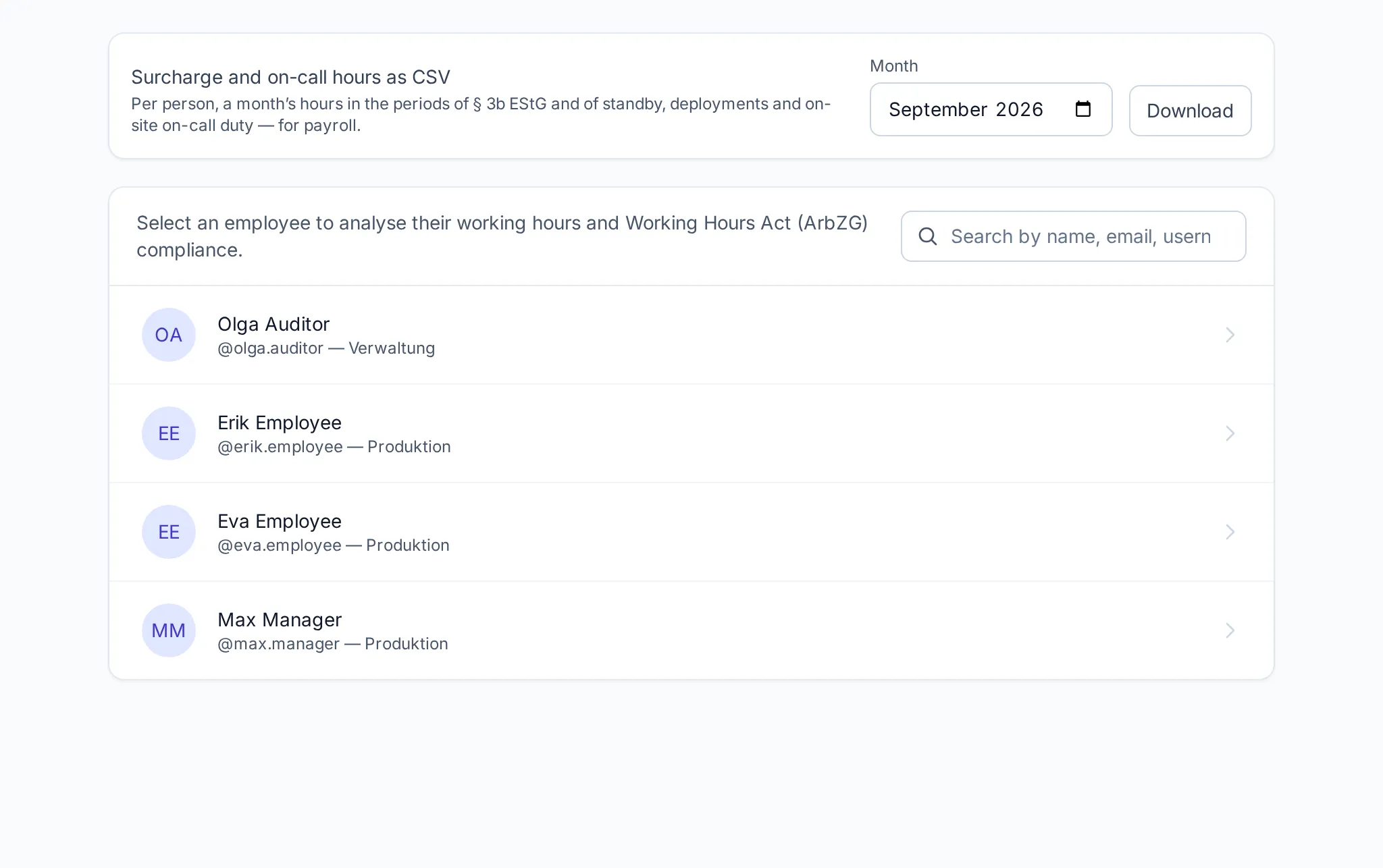
The overview
Section titled “The overview”The list shows everyone who records time, with a search by name, e-mail, username or personnel number. Managers see the people of their departments, admins and auditors the whole company. Admin accounts do not appear — they record no time (see roles).
Surcharge and on-call hours as CSV: for a chosen month, Klokk exports per person the hours in the periods of § 3b EStG as well as on-call duty, call-outs and standby duty — for payroll. More in surcharges and on-call.
Analysing one person
Section titled “Analysing one person”Clicking a person opens their analysis, switchable between Week and Month:
- target, actual, balance of the period,
- every day with its entries, the net working time and the break — off-site work, corrections and running entries are marked,
- absences such as sickness or vacation on their day,
- surcharge hours and on-call of the period.
From here you reach the person’s time account, vacation account and monthly record (PDF).
Violations of the Working Time Act
Section titled “Violations of the Working Time Act”Klokk checks every day and every week and marks violations right on the day:
| Check | Rule |
|---|---|
| Daily maximum exceeded | § 3 ArbZG |
| Weekly maximum exceeded | § 3 ArbZG |
| Average over 24 weeks | § 3 ArbZG |
| Breaks not kept | § 4 ArbZG |
| Minimum rest period not kept | § 5 ArbZG |
| Night work | § 6 ArbZG |
| Free Sundays, substitute rest day | § 11 ArbZG |
| Special protection (young people, maternity, severe disability) | JArbSchG, MuSchG, SGB IX |
What exactly is checked is described in Working Time Act and special protection. Which protection rule applies is seen by admins only; managers see “a special rule”.
Editing entries
Section titled “Editing entries”Admins edit a person’s entries with Edit on the entry. The edit window with the four-eyes principle and month-end closing apply. Managers and auditors see the entries but do not change them here; managers decide correction requests under Admin → Requests.