
Travel time on business trips
On off-site work and business trips not every hour is the same: work at the customer’s is working time, the drive there perhaps only in part. Klokk therefore keeps the time on site apart from the time on the way, remembers how someone travelled, and counts both by your company’s rules.
Two sets of rules apply side by side, and Klokk keeps them apart:
| Question | Who sets it | |
|---|---|---|
| Time account | How much travel time is credited (and paid)? | The company’s admins, within the employment or collective agreement |
| Working Time Act | Does the trip count for maximum hours, breaks and rest periods? | The law and the courts; one switch for passengers |
By default every minute of travel counts in full on the time account and as working time — you need to set nothing as long as that suits your company.
Recording travel time
Section titled “Recording travel time”At the clock
Section titled “At the clock”-
The person starts Off-site Work on the dashboard.
-
Under Right now they choose what is going on:
- On site, working
- Travelling, and how: Driving myself, Riding as directed (company vehicle, shuttle), As a passenger (train, plane, bus) or As a passenger, working on the way.
-
Each change ends the running entry and starts a new one — a day at a customer’s becomes, for example: outward trip, work on site, return trip.
-
End Off-site Work ends the last part.
Afterwards
Section titled “Afterwards”When adding or correcting an entry, the Travel time field offers the same choice (“No travel time” or one of the four ways of travelling). Correction requests, the edit window and month-end closing apply as for any other entry.
In project time tracking
Section titled “In project time tracking”A project segment with the activity Travel counts as travel time too (without a way of travelling). The drive to the customer can so be booked on the project and still follow the travel rules.
Setting the rules
Section titled “Setting the rules”The rules apply per company, under Admin → Travel time. They are HR settings and therefore lie with the company’s admins. Every change is in the audit log with its old and new value.
From when the rules apply
Section titled “From when the rules apply”When saving, you choose from which day the rules apply (by default today). Earlier days keep the rules they had — a change never rewrites settled times. So:
- If a closed month lies on or after the chosen day, Klokk refuses the change.
- A day in the future plans a change. Rule history lists every change with its day; planned ones can still be deleted until then.
Time account and pay
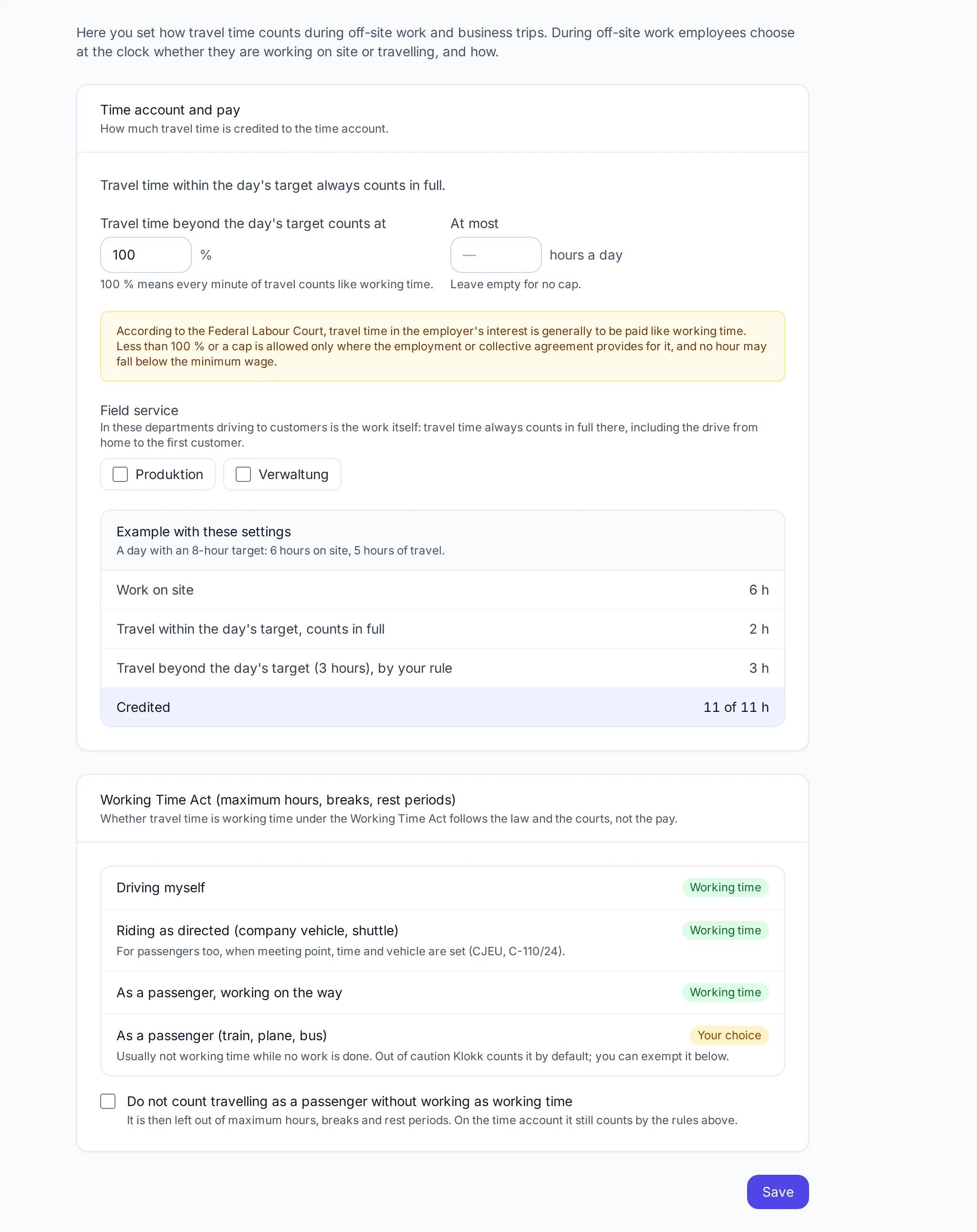
Section titled “Time account and pay”- Travel time within the day’s target always counts in full. Someone who works 6 hours on site on an 8-hour day always gets the first 2 hours of travel credited in full.
- Travel time beyond the day’s target counts at a share from 0 to 100 %.
- At most a number of hours a day (empty: no cap).
An example on the page recalculates as you change the settings: a day with an 8-hour target, 6 hours on site, 5 hours of travel.
Field service
Section titled “Field service”Tick Field service for departments whose work is driving to customers. There travel time always counts in full — including the drive from home to the first customer (BAG, 5 AZR 36/19). Share and cap do not apply to these departments.
Working Time Act
Section titled “Working Time Act”Whether travel time counts for maximum hours, breaks and rest periods does not depend on the pay but on the way of travelling:
| Way of travelling | Working time under the ArbZG |
|---|---|
| Driving myself | yes |
| Riding as directed (company vehicle, shuttle) | yes — for passengers too, when meeting point, time and vehicle are set (CJEU, C-110/24) |
| As a passenger, working on the way | yes |
| As a passenger (train, plane, bus) | usually not, while no work is done — your choice |
Out of caution Klokk counts passenger time as working time by default. Do not count travelling as a passenger without working as working time leaves it out of the Working Time Act checks. On the time account it still counts by the rules above.
How Klokk counts
Section titled “How Klokk counts”Per day Klokk sums work and travel separately and credits:
work + travel up to the day’s target + travel beyond it × share (at most the cap)
Examples for a day with an 8-hour target, 6 hours of work on site and 5 hours of travel:
| Setting | Travel within target | Travel beyond | Credited |
|---|---|---|---|
| 100 %, no cap (default) | 2 h | 3 h | 11 h |
| 50 %, no cap | 2 h | 1.5 h | 9.5 h |
| 50 %, at most 1 h a day | 2 h | 1 h | 9 h |
| 0 % | 2 h | – | 8 h |
| Department in field service | 2 h | 3 h | 11 h |
On a day without a target (weekend, public holiday) no travel lies “within the target” — the share applies to all of it.
Where travel time shows
Section titled “Where travel time shows”- Time overview: the way of travelling at the entry, the day’s travel time and — when not all of it counts — the part counted (“Travel: 5 h, 4 h counted”).
- Monthly record (PDF) and the CSV export (column “Travel time”).
- Time account: counts with the credited part.
- REST API:
is_travelandtravel_modeon every time entry.
Frequently asked questions
Section titled “Frequently asked questions”Do I have to set anything? No. By default all travel time counts in full and as working time. Only set something when the employment or collective agreement says otherwise.
Do the rules apply retroactively? Only from the day you choose when saving. Klokk keeps counting earlier days with the rules they had; a change never reaches into closed months.
Who sees the way of travelling? The person and whoever may see their times (managers, admins) — as with any other entry.
This page describes a feature of Klokk 1.2.0. It appears here once that version is released.